

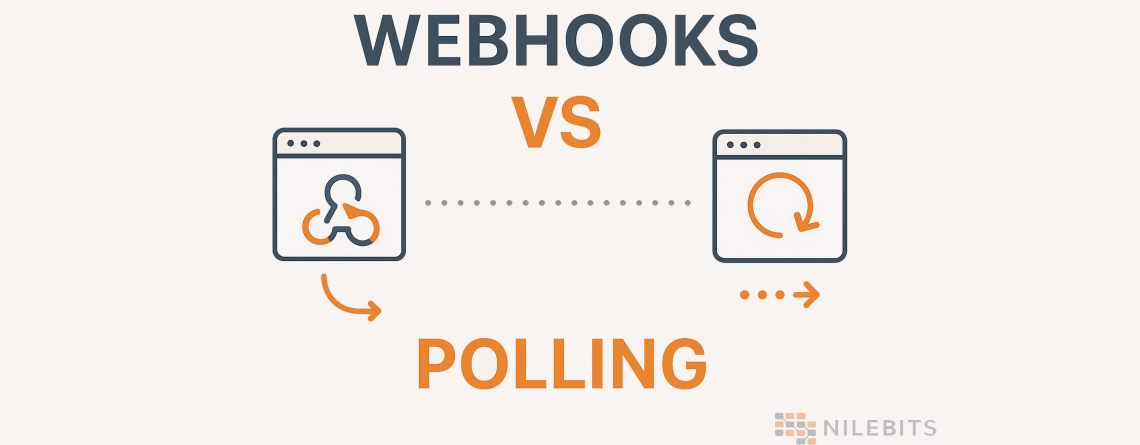
Webhooks vs. Polling
In today’s world of highly connected software, applications rarely operate in isolation. They constantly exchange data, react to events, and automate entire workflows without any manual input. Whether you are developing a SaaS platform, integrating with payment gateways, monitoring orders, syncing data across services, or building DevOps automation pipelines, you will inevitably encounter a major architectural question: should you use Webhooks or Polling?
Should you use polling or should you use webhooks?
This question is more than a mere preference. Scalability, cost, performance, dependability, and user experience are all impacted. Developers typically assume they have the answer until they come into production challenges. What appeared basic becomes a complicated conversation concerning rate restrictions, server load, real time behavior, latency tolerance, and architectural flexibility.
In this detailed, highly practical guide, we will take a deep look at:
- What polling is
- What webhooks are
- When each technique is suitable
- How different industries use them
- Performance considerations
- Security risks and protection strategies
- Architectural tradeoffs
- Cost implications
- Real code examples in Node.js, Python, and C Sharp
- How companies like GitHub, Stripe, Twilio and Slack handle them
By the end of this guide, you will not only understand the technical differences, but you will also be ready to design scalable systems using the right technique for your workload.
Let us start with the basics.
What is Polling?
Polling is one of the simplest patterns in software engineering. The idea is straightforward:
Your system repeatedly asks another system if something new has happened.
Think of polling as someone repeatedly calling a friend and asking:
“Is the package delivered yet?”
You call again.
No new update.
You call again in five minutes.
Still nothing.
This keep checking pattern is exactly how polling works in distributed systems.
How Polling Works
- Your application sends a request to a remote API.
- The API checks if something new has occurred.
- It returns the latest data or an empty response.
- Your app waits a few seconds.
- Repeat.
Example Scenarios
- A mobile app checks for new messages every 10 seconds.
- A cron job hits an API every minute looking for completed tasks.
- A frontend continuously calls a backend endpoint to check a long running job.
- An IoT device sends sensor data and also checks for configuration updates by polling the cloud.
Advantages of Polling
Polling is simple. Many junior developers start with polling because:
- It is easy to implement.
- It does not require special networking configurations.
- It works even when external systems do not support callbacks.
- It can be used in internal networks or tightly controlled systems.
- It is predictable because you control the schedule.
Disadvantages of Polling
However, simplicity comes with costs:
- Polling wastes bandwidth.
- It increases API usage.
- It increases cloud costs because the system keeps checking even when nothing changed.
- It creates higher latency since you must wait for the next cycle.
- It can overload your backend and cause throttling.
- It does not scale well for real time experiences.
You will often hear developers say that polling is good for small systems but becomes expensive and slow at scale. This is mostly accurate, but not always. There are scenarios where polling is still the right choice, as we will see later.
Before that, let us look at real code.
Polling Code Examples
Polling Example in Node.js
const axios = require("axios");

async function pollStatus() {
  try {
    const response = await axios.get("https://api.example.com/status");
    console.log("Current status:", response.data);
  } catch (error) {
    console.error("Polling error:", error.message);
  }
}

setInterval(pollStatus, 5000);  // Poll every 5 seconds
This example hits the API every 5 seconds to fetch updates.
Polling Example in Python
import time
import requests

def poll_status():
    url = "https://api.example.com/status"
    try:
        response = requests.get(url)
        print("Status:", response.json())
    except Exception as e:
        print("Error:", e)

while True:
    poll_status()
    time.sleep(5)
Polling Example in C Sharp
using System;
using System.Net.Http;
using System.Threading.Tasks;

class Program
{
    static async Task PollAsync()
    {
        using var client = new HttpClient();
        while (true)
        {
            try
            {
                var response = await client.GetStringAsync("https://api.example.com/status");
                Console.WriteLine("Status: " + response);
            }
            catch (Exception ex)
            {
                Console.WriteLine("Polling error: " + ex.Message);
            }

            await Task.Delay(5000);
        }
    }

    static async Task Main()
    {
        await PollAsync();
    }
}
What Are Webhooks?
Webhooks are the complete opposite of polling. Instead of your system asking constantly for new information, the remote system notifies you automatically when something happens.
Think of webhooks as someone calling you when the package is delivered instead of you calling every few minutes.
How Webhooks Work
- Your application exposes an endpoint that accepts POST requests.
- You register this endpoint with an external service.
- When something happens, the external service sends a payload to your webhook URL.
- Your app processes the data and responds with a simple success message.
Webhook behavior is event driven. Instead of checking, the system pushes updates to you in real time.
Example Scenarios
- Stripe notifies you when a payment is successful.
- GitHub sends a push event when code is committed.
- Slack notifies your bot when the user sends a message.
- Twilio sends an incoming SMS event to your server.
- A webhook triggers CI/CD pipelines based on repository changes.
Advantages of Webhooks
Webhooks offer several major benefits:
- Real time updates.
- Lower server load.
- Lower cost because no repetitive API calls.
- Better scalability.
- Systems communicate only when necessary.
- Works extremely well with event driven platforms.
Disadvantages of Webhooks
However, webhooks have their own challenges:
- You need a publicly accessible endpoint to receive events.
- Firewalls and corporate networks can block webhook calls.
- If your server is down, you miss events unless retries are handled.
- You must verify signatures to prevent unauthorized calls.
- You need proper logging and monitoring.
Webhook Code Examples
Webhook Example in Node.js (Express)
const express = require("express");
const app = express();

app.use(express.json());

app.post("/webhook", (req, res) => {
  console.log("Webhook received:", req.body);
  res.status(200).send("OK");
});

app.listen(3000, () => console.log("Webhook server running"));
Run this with node app.js and expose it with a tool like Ngrok for testing:
ngrok http 3000
Webhook Example in Python (Flask)
from flask import Flask, request

app = Flask(__name__)

@app.route("/webhook", methods=["POST"])
def webhook():
    data = request.json
    print("Received data:", data)
    return "OK", 200

if __name__ == "__main__":
    app.run(port=3000)
Webhook Example in C Sharp (.NET)
using Microsoft.AspNetCore.Mvc;

[ApiController]
[Route("webhook")]
public class WebhookController : ControllerBase
{
    [HttpPost]
    public IActionResult Receive([FromBody] object payload)
    {
        Console.WriteLine("Webhook received: " + payload);
        return Ok("OK");
    }
}
Polling vs Webhooks: A Detailed Comparison
1. Real Time Behavior
Polling is not real time. You always have a delay based on your polling interval.
Webhooks are real time. The moment something happens, you receive a notification.
2. Server Load
Polling generates extra requests even when there is no new data.
Webhooks generate zero unnecessary traffic.
3. Scalability
Polling becomes expensive as your user base grows. Imagine checking 1 million accounts every 5 seconds.
Webhooks scale naturally because events are triggered only when needed.
4. Error Handling
Polling has predictable retry cycles.
Webhooks require more careful retry handling but most SaaS platforms already include intelligent retry logic.
5. Network Requirements
Polling works in most environments.
Webhooks require publicly accessible endpoints unless you use tunneling or queueing systems.
When to Choose Polling
Polling is a better fit in scenarios like:
- Systems without webhook support.
- Environments where inbound public traffic is not allowed.
- Highly predictable controlled environments.
- Quick prototypes where speed matters more than efficiency.
- Low frequency processes like checking once per hour.
Example Industries Using Polling
- Banking systems with tight firewall controls.
- Internal corporate networks.
- Legacy systems that cannot push events.
- IoT devices using scheduled reporting.
When to Choose Webhooks
Use webhooks when:
- You want real time behavior.
- You want to reduce API calls.
- You want efficient, scalable event delivery.
- You integrate with modern SaaS platforms.
- Your platform handles large numbers of independent events.
Industries Using Webhooks
- Fintech (Stripe, PayPal, Wise).
- Communication platforms (Twilio, Slack, Zoom).
- Cloud DevOps (GitHub, GitLab, Bitbucket).
- E commerce and logistics systems.
Security for Webhooks and Polling
Polling Security
- Use API keys or OAuth tokens.
- Use request signing if supported.
- Implement rate limiting.
- Use SSL only.
Webhook Security
Security is more critical for webhooks because your endpoint is public.
- Validate signatures.
- Validate source IP.
- Use SSL certificates.
- Store logs of all events.
- Retry processing safely with idempotent logic.
- Implement authentication tokens in headers.
Webhook signature validation example (Node.js):
const crypto = require("crypto");

function verifySignature(payload, headerSignature, secret) {
  const expected = crypto
    .createHmac("sha256", secret)
    .update(payload)
    .digest("hex");

  return expected === headerSignature;
}
Performance and Cost Comparison
Polling Cost Example
Imagine polling every 10 seconds:
- 6 calls per minute
- 360 calls per hour
- 8640 calls per day
- 259200 calls per month per user
If you have 10000 users, that becomes 2.5 billion API calls per month.
Cloud APIs are not free. That becomes incredibly expensive.
Webhook Cost Example
Webhook sends events only when needed.
If a typical user triggers 100 events per month, that is only 100 webhook calls per user.
10 thousand users = 1 million requests per month.
Massive cost savings.
Real Production Examples
Stripe Webhooks
Stripe uses webhooks heavily for:
- Payment succeeded
- Subscription renewed
- Fraud alerts
- Charging disputes
Documentation:
https://stripe.com/docs/webhooks
GitHub Webhooks
GitHub sends events for:
- Push
- Pull requests
- Releases
- Issues
Documentation:
https://docs.github.com/en/webhooks
Slack Webhooks
Slack provides incoming and outgoing webhook architecture.
Documentation:
https://api.slack.com/messaging/webhooks
Hybrid Approach: Polling With Webhooks
Engineering is not always binary. Many systems combine both techniques.
Example Hybrid Architecture
- Use webhooks for real time events.
- Use periodic polling as a backup to detect missed events.
- Use a queue like RabbitMQ or Kafka to process events reliably.
This hybrid approach gives you:
- Real time performance.
- Guaranteed consistency.
- Resilience against webhook failures.
When Polling is Better Than Webhooks
There are cases where polling is genuinely better:
- When you want to control when you hit the API.
- When you run heavy data synchronization.
- When events are rare and not worth maintaining a webhook endpoint.
- When working with air gapped or offline systems.
- When the server cannot accept incoming connections.
When Webhooks Are Better Than Polling
- When you need instant notifications.
- When API call costs matter.
- When workloads scale significantly.
- When integrating with modern SaaS ecosystems.
- When mobile apps need up to date information quickly.
Building a Webhook System: Step By Step
Let us walk through how you would build a webhook system in your own application.
Step 1: Create a Webhook Subscription Page
Your users enter the callback URL.
Step 2: Store the callback securely.
Database record example:
id | user_id | callback_url | secret_key | created_at
Step 3: Fire events on trigger.
Step 4: Send a POST request with retry logic.
Step 5: Validate response codes.
Step 6: Log all webhook deliveries for monitoring.
Step 7: Build a dashboard showing success and failures.
Common Mistakes Developers Make
Polling Mistakes
- Polling too frequently.
- Not respecting rate limits.
- Saving API responses without deduplication.
- Blocking requests on slow polling cycles.
Webhook Mistakes
- Not verifying signatures.
- Not implementing retry logic.
- Not building idempotent endpoints.
- Not logging payloads.
- Not monitoring webhook failures.
Conclusion: Polling vs Webhooks
There is no universally perfect option. The right solution depends on:
- Real time needs
- Scalability
- Security requirements
- Infrastructure complexity
- Cost constraints
As a rule of thumb:
- If you need real time updates, use webhooks.
- If you need simplicity, use polling.
- If you need reliability at large scale, combine both.
Need Help Implementing Polling or Webhooks? Nile Bits Can Help
At Nile Bits, we build modern, scalable, reliable backend systems for companies around the world. Whether you need a simple polling integration or a complete enterprise grade webhook architecture, our engineering team can help you with:
- Designing secure webhook endpoints
- Implementing event driven architectures
- Integrating with Stripe, GitHub, Slack, Twilio and many other APIs
- Building reliable retry systems and message queues
- Reducing API costs and optimizing performance
- Developing Python, Node.js, Go, .NET or Java backend services
- Full stack development
- DevOps automation
- Cloud infrastructure engineering
We support businesses with dedicated senior engineers, long term development partnerships, and full custom software solutions.
If you want professional help with your product, API integrations, or backend system design, reach out to Nile Bits and let our experts build something stable and production ready for you.







Leave a Reply